
Home Study Space Checklist: Set Up a Distraction-Free Learning Corner
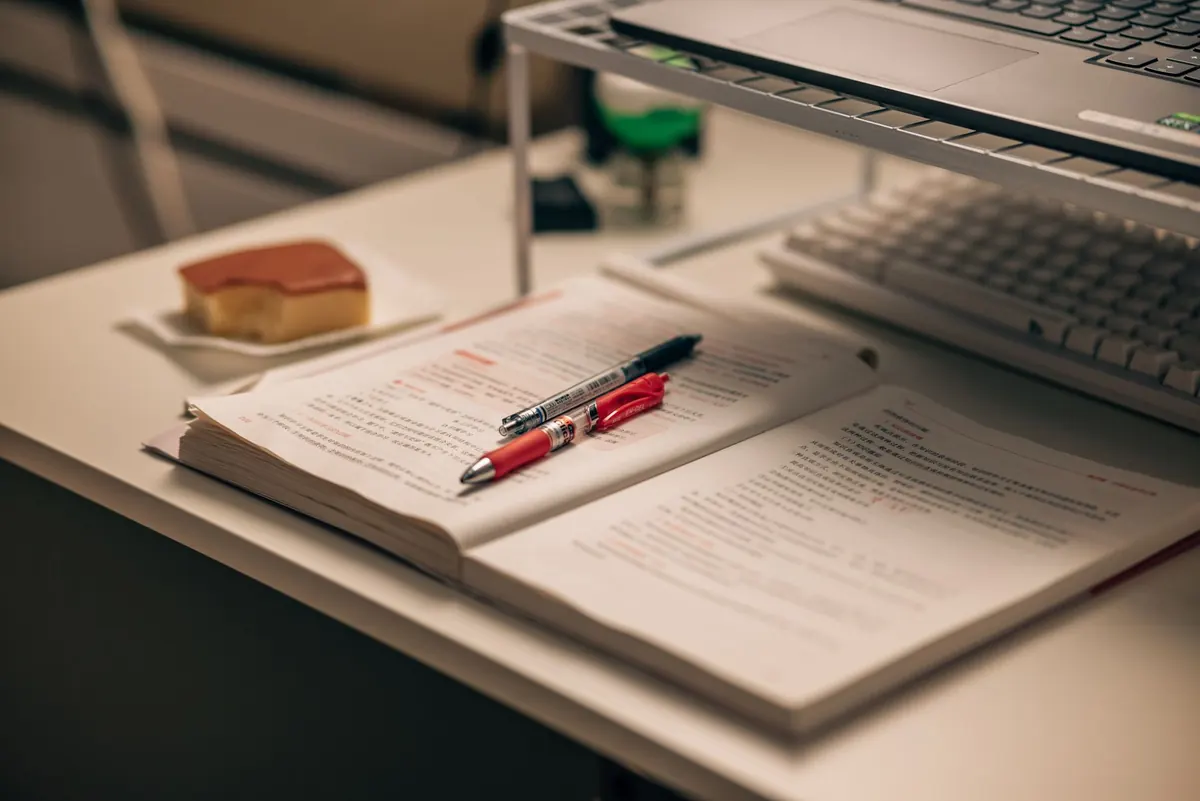
Most study problems look like discipline problems and turn out to be setup problems. You sit down, then spend six minutes hunting for a charger, squinting because the lamp is behind your shoulder, and reaching for the phone every time it buzzes against the desk. By the time the book is open, the best of your attention is already gone.
A dedicated study corner removes most of that friction before willpower is ever involved. It doesn't need to be a spare room. A sturdy table in the quietest corner, a decent lamp, a pair of headphones and one box of materials will do more for your focus than a bigger desk buried in clutter. Here's how to build it in an afternoon, and how to keep it working for months.
Choose a Spot You Can Claim
Pick the place where interruptions are least likely, not the place that looks nicest. A corner facing a wall beats a table in the middle of the living room, because there's nothing moving in your field of vision. If you share the space, make the territory obvious: a small table with your lamp, your headphones and your materials on it. Other people respect a defined zone far better than a vague one.
Two rules matter here. First, don't make your bed the main study spot if you can avoid it — the association between bed and rest is hard to break once it's muddled. Second, set the desk up once and leave it. If you have to unpack and repack every session, you'll skip the session.
Light the Work, Not Your Eyes
Aim light at the page or screen from the side, not from behind you and not into your face. Sitting with a window to your left or right is usually ideal. Directly in front, the window turns your screen into a mirror; directly behind, your own shadow lands on your notes.
What to use
- A task lamp with a shade, positioned on the opposite side from your writing hand so you don't cast a shadow across the page.
- Neutral-white light rather than very warm or very blue. Some lamps let you switch between warm and cool; the middle setting is the comfortable one for reading and writing.
- Background light as well as task light. A bright lamp in an otherwise dark room creates harsh contrast that tires your eyes faster than even, moderate light.
Keep screen brightness roughly level with the room around it. A glowing laptop in a dark room is the most common cause of end-of-session headaches. If you get persistent headaches or blurred vision after long sessions, book an eye exam — that's worth more than another lamp.
Fix the Chair, Desk and Screen Heights
You don't need expensive furniture, but you do need a few relationships to line up. Feet flat on the floor, or on a box or stack of books if the chair is too high. Hips slightly above knee level. Elbows at roughly a right angle when your hands are on the keyboard or the page. Screen top at or just below eye level, about an arm's length away.
If your chair has no back support, roll a small cushion or a folded towel behind your lower back. If the screen sits too low, a stack of books under it works fine. Laptop users should consider a separate keyboard, because the height that suits your hands rarely suits your neck.
Stand up and move every 30 to 45 minutes. Ergonomic setups reduce strain; they don't cancel the effects of sitting still for three hours. If you already have ongoing neck, wrist or back pain, talk to a physiotherapist or doctor rather than pushing through it.
Build a Tech Setup That Stays Out of the Way
Assume you will be distracted and design around it, rather than promising yourself you won't be.
- Charge everything the night before. A charger permanently plugged in at the desk ends the low-battery panic mid-session.
- Put the phone in another room, or in a drawer you can't see into. Face-down on the desk is not enough — a lit screen and a vibration still pull at you.
- Turn off laptop notifications before you start, not after the first one interrupts you.
- Use a separate browser profile for study, with only the tabs you need open. Close the rest instead of promising to "get to them later".
- Test audio before an online class: headphones connected, microphone working, and a backup plan if the connection drops.
Keep cables organised with a couple of clips or a single pouch. Tangled wires aren't a moral failing, but they make the desk feel like a chore, and chores get avoided.
Control Noise Before It Controls You
Not all noise is equally distracting. Steady sound — a fan, distant traffic, rain — tends to fade into the background. Speech is the problem, because your brain keeps trying to follow it. That's why a café can work for some tasks and be useless for reading.
Simple fixes first: move the desk off the shared wall, add a rug and curtains to soften echo, and close the door if you have one. If you can't change the room, headphones with instrumental music, ambient noise or a plain fan hum can mask speech without adding words to your head. Lyrics compete with reading and writing, so save them for tidying up. Earplugs are a cheap upgrade if you just want silence.
One useful trick: use the same short instrumental playlist every time you start. After a couple of weeks, it becomes a cue rather than entertainment.
Keep Materials Where Your Hand Already Goes
Clutter costs you small decisions all day: where's the pen, which notebook, what was that note about. Reduce the decisions.
On the desk, keep only what you're using this week: one notebook per subject, one pen cup, one tray for papers that need action, one for papers that are done. Everything else goes in a box or on a shelf. Keep a small pad for stray thoughts — write the "I should check that" down and go straight back to work.
At the end of a session, spend two minutes clearing the surface and putting materials back in their place. A desk that's ready when you sit down is the difference between starting in ten seconds and starting in ten minutes.
Set the space up once. Then let it quietly do the work of getting you started.
The Fifteen-Minute Setup, and the Weekly Tune-Up
If you're starting from nothing, do this now: choose the corner, move the lamp to the side, raise the screen on books, plug in the charger, put the phone in another room, and put the current week's materials on the desk. That's the whole job, and it takes about fifteen minutes.
Then check it once a week. Notice what actually broke your focus — glare, a buzzing phone, a chair that left your shoulders tight — and change one thing. A study corner isn't a project you finish; it's a small system you adjust. Do that a few weeks in a row and sitting down to work stops feeling like a negotiation.
Photo: Nishino Minase / Pexels